
Quick Summary
Mobile access lets staff complete mobile clinical training on a phone or tablet during breaks and between shifts, rather than pulling them off the ward. It gives quick point-of-care access to reference material and cuts time away from patient care. Short, repeated lessons also help people retain skills.
- Learners can review procedures on a break or before a call.
- Fewer in-person sessions mean less time lost from patient care.
- Lessons that load quickly and pause mid-way suit gaps of five or ten minutes.
- Mobile training should sit alongside hands-on practice, not replace it.
- Keep training content free of real patient information and use composites instead.
Table of Contents
- Why Mobile Access Matters for Clinical Training Now
- Mobile Learning in Healthcare: Learning Between Clinical Shifts
- Point-of-Care Access to Clinical Information on Mobile Devices
- Mobile Medical Simulation Training for Clinical Skills
- Microlearning for Healthcare: Short Lessons That Fit a Busy Roster
- Mobile Device Management in Healthcare: Privacy, Security and Access
- Planning Your Next Step Towards Mobile Clinical Training
- Frequently Asked Questions
Why Mobile Access Matters for Clinical Training Now
Last Updated: November 5, 2026
Mobile access changes when and where clinical training happens. Digital learning that staff can open on a phone or tablet lets training fit around shifts instead of pulling people out of wards. That flexibility is the core of the benefits of mobile access for clinical training.
The main advantage is access. A nurse on a break can review a procedure. A paramedic can check a protocol before a call. Learning stops being a once-a-year event and becomes part of daily work.
Mobile access also reduces the cost of pulling staff off the floor. Fewer in-person sessions mean less time lost from patient care.
Mobile training is not a replacement for hands-on practice. It works best alongside it, as a way to prepare, revise and reinforce what learners do in real settings.
Mobile Learning in Healthcare: Learning Between Clinical Shifts
Mobile learning means short, self-paced lessons that staff open on their own device. Most clinicians work irregular hours, so they need lessons that fit gaps of five or ten minutes.
Good mobile lessons share a few traits:
- They load quickly on a phone
- They can be paused and resumed
- They focus on one skill or decision at a time
- They use clear visuals instead of dense text
Storytelling and visual design can hold attention in these short windows, so that learners remember the decision rather than simply finishing the slides.
Point-of-Care Access to Clinical Information on Mobile Devices
Point-of-care access means staff can check information at the moment they need it. A mobile device puts protocols, dosage guides and reference material within arm’s reach, and that proximity changes behaviour: a learner who would not walk to a folder or log in to a desktop will glance at a phone.
This matters most when a learner is unsure. Rather than searching through a manual, they open a short lesson on the spot. The value is not the content alone but the removal of friction between a question and an answer.
What belongs at the point of care
Not everything should live on a phone. The material that earns its place is short, decision-shaped and frequently needed:
- Step-by-step procedure reminders for tasks performed occasionally
- Dosage and calculation checks that carry a high cost of error
- Escalation criteria, who to call, when, and what to hand over
- Local policy summaries, ward-specific where they differ
- Short revision lessons tied to a skill the learner is about to use
Long reference texts and dense policy documents belong in the learning management system, not in a pocket guide. Trying to replicate a full manual on a phone is a common failure: learners scroll once and never return.
Keeping guidance current
Outdated guidance on a phone is worse than no guidance at all, because it carries the authority of the organisation behind it. Build a review schedule for every mobile resource and name an owner for each one. A workable pattern is to review clinical content at least annually, and immediately whenever a national guideline, formulary or local protocol changes.
Watch out: version control is where mobile reference material most often fails. If a learner cannot tell whether the guidance on their screen is the current version, they will either trust stale content or stop trusting the tool altogether. Show a version number and a review date on every screen, and retire old content rather than leaving it accessible.
Decision support versus decision making
Mobile reference material supports a decision; it does not make one. Frame content as prompts and checks rather than instructions, and keep the clinical judgement with the practitioner. A short lesson that asks ‘what would you check before administering this?’ teaches more than a screen that simply displays a dose.
Testing access in the real environment
Before rollout, test the material where it will actually be used: on the ward, in a lift, in a basement treatment room, on the devices staff carry. Check load times on a weak connection, legibility on a small screen, and whether the content can be reached in two or three taps. If a learner needs more than that, they will not use it mid-task.
Mobile Medical Simulation Training for Clinical Skills
Simulation lets learners practise skills without risk to patients. Mobile simulation extends this practice to any location with a device.
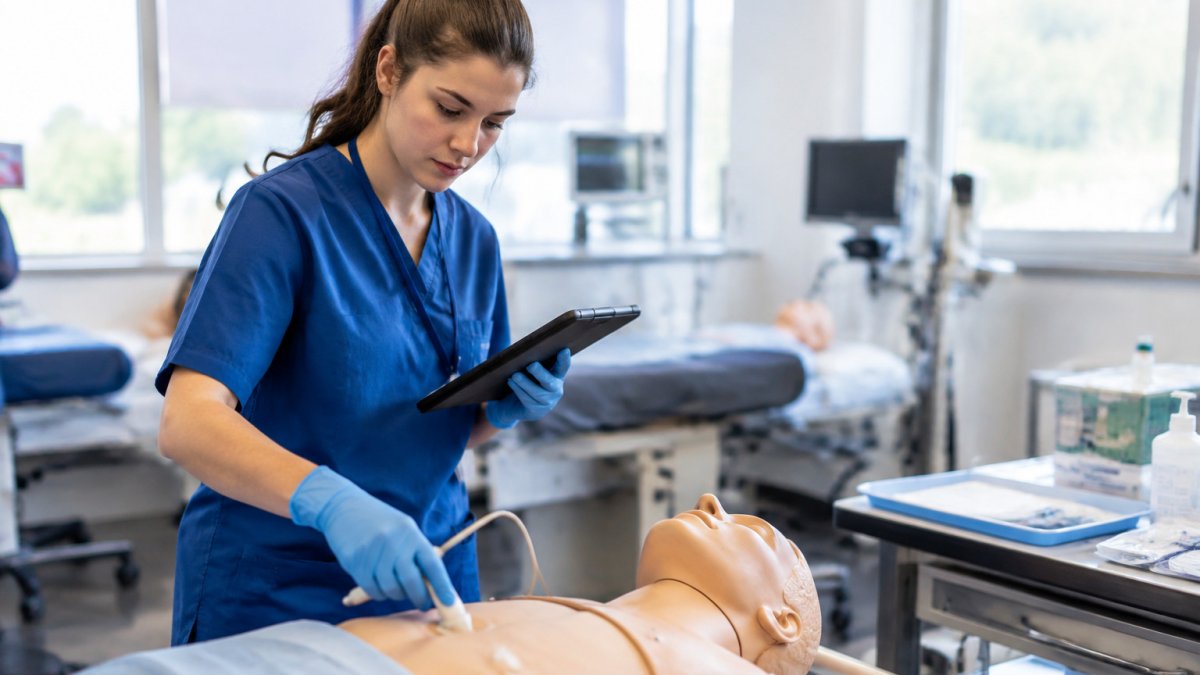
A common approach is to pair a short video or interactive scenario with a hands-on session. The mobile part prepares learners, and the practical session builds the skill.
Simulation works best when:
- The scenario matches real workplace situations
- Learners get feedback on their choices
- Each practice session has a clear goal
Microlearning for Healthcare: Short Lessons That Fit a Busy Roster
Microlearning breaks training into lessons of a few minutes. For busy healthcare teams, this is often the only format that gets completed.
Keep each lesson focused on one outcome. A lesson on hand hygiene steps, for example, is more useful than a long module covering all infection control.
Short lessons also make refresher training easier. Our adult learning principles guide explains why brief, focused content suits busy professionals. Staff can revisit a single topic before a task they rarely perform.
Mobile Device Management in Healthcare: Privacy, Security and Access
Mobile training raises questions about privacy and device security that most benefit-led articles skip. Learners may use personal phones, training content may touch on patient-related scenarios, and the same device may hold both learning material and clinical apps. Plan for these issues before rollout, not after the first incident. Securing these digital environments remains essential as organisations expand their scope to include virtual nursing clinical training, ensuring that the transition to portable education does not compromise the integrity of patient data.
Confidentiality in training content
Training content should contain no real patient information. Build scenarios from composites and fictional cases rather than adapting real records, even when the real case would teach the point more vividly. Where a genuine case is used, de-identify it thoroughly and check that the combination of details does not allow a patient to be identified by someone who knows the context.
This applies to screenshots, videos, voice recordings and assessment submissions as much as to written scenarios. A learner photographing a whiteboard, a handover sheet or a screen is the most common route by which patient information ends up somewhere it should not be.
Device security and acceptable use
Set out in writing which devices are approved for training use, what may be installed on them, and what learners may store or share. Cover the practical basics:
- Device passcodes and automatic locking
- Encryption, and remote wipe where the organisation manages the device
- What to do if a device is lost or stolen
- Which apps are approved, and why sideloaded apps are a risk
- Whether training content may be downloaded for offline use, and how it is removed afterwards
Where learners use personal devices, be explicit about the boundary between personal and work use. A bring-your-own-device arrangement needs a clear statement of what the organisation can and cannot see on the device, or staff will reasonably assume the worst.
Professional boundaries and social media
Clinical learners are also professionals in public. Set expectations for what may be discussed or posted about placements, patients and colleagues, and make clear that the same confidentiality rules apply online as on the ward. A short acceptable-use statement, signed at induction, is more effective than a policy buried in a handbook.
Watch out: the riskiest moments are informal ones, a group chat about a difficult shift, a photo taken to illustrate a learning point, a comment posted in frustration. Address these directly in training rather than assuming staff will infer the boundary.
When something goes wrong
Give learners a clear route to report a lost device, a suspected data breach or a mistaken share, and make clear that prompt reporting is treated as responsible behaviour rather than a disciplinary matter.
Access and inclusion
Access matters too. Make sure lessons work on the devices staff actually use, open reliably on slower connections, and remain usable for staff with disabilities or different language needs. Offer an alternative route, a shared device, a desktop version or a printed summary, for anyone who cannot or will not use a personal phone for training.
The article sets out the practical security and access points to plan for before mobile training rolls out.
| Area | What to plan | Why it matters |
|---|---|---|
| Training content | No real patient information; use composites or fictional cases | Prevents patient identification |
| Device security | Passcodes, automatic locking, encryption and remote wipe | Protects devices holding clinical apps |
| Approved apps | Set out which apps are approved and why | Sideloaded apps are a risk |
| Personal devices | Define the boundary between personal and work use | Avoids reasonable staff suspicion |
| Social media | Set expectations at induction | Informal sharing is a common breach route |
| Reporting | Clear route for lost devices or mistaken shares | Prompt reporting is treated as responsible |
| Access | Works on staff devices and slower connections | Keeps training usable for all staff |
Planning Your Next Step Towards Mobile Clinical Training
Start with one clinical skill that staff find hard to learn or keep up. Build a short mobile lesson around it, test it with a small group, and collect feedback.
Measure whether it works. Track completion rates, quiz results and whether staff use the material again. Track completion rates, quiz results and whether staff use the material again. Adjust the lesson based on what you learn.
Contact Simply eLearning to talk through your first project.
Frequently Asked Questions
What are the benefits of mobile learning in clinical training?
Mobile learning lets clinical staff and students study on smartphones or tablets during breaks, between shifts or on placement, rather than waiting for scheduled sessions. It gives quick access to clinical references, supports short refresher lessons and helps learners apply knowledge at the point of care. Benefits are strongest when content is short, relevant to the role and checked against the organisation’s own protocols before it is published.
Can mobile learning improve engagement in mandatory clinical training?
It can, mainly because short, scenario-based modules are easier to fit into a working day than long courses. Engagement tends to rise when training uses realistic cases, quizzes and immediate feedback. For pricing and a scoping conversation, visit the Simply eLearning website to request a quote.
How can healthcare organisations make mobile training accessible to staff?
Start by testing content on the devices staff actually use, and check that it works on both small screens and slower connections. Provide captions, readable text sizes and content that can be downloaded where network coverage is patchy. Clear sign-in steps and a simple support route also help staff who are less confident with technology.
What should clinical teams consider when choosing a mobile learning platform?
Consider how the platform handles privacy and access control, whether it supports offline use, how it reports on completion and learning outcomes, and how easily content can be updated when procedures change. Ask how the platform integrates with existing learning systems and whether a trial with a small group of learners is possible before a wider rollout.
